Microsoft Fabric Shortcuts - Technical Guide for Architects and Engineers
· updated · post microsoft fabric data architecture
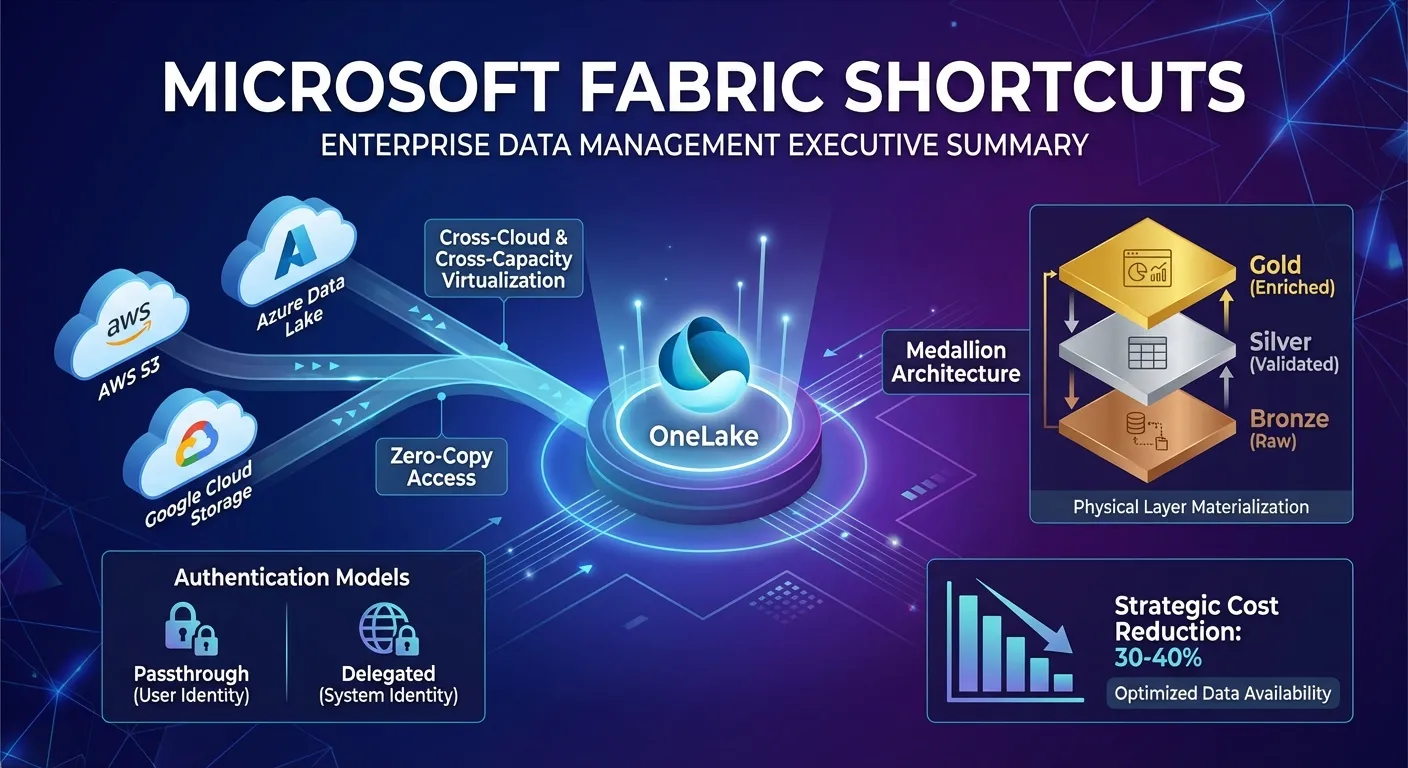
TL;DR
- What shortcuts are (metadata pointers for zero-copy access)
- Key cost benefit (30-40% savings via cross-capacity paused access)
- Authentication models (passthrough vs delegated)
- Critical anti-pattern (no shortcut chaining in medallion architecture)
- Best practice guidance (where to use shortcuts vs physical materialization)
Introduction
Microsoft Fabric shortcuts represent a fundamental architectural shift in enterprise data management, enabling organizations to build unified, virtualized data estates without duplicating data. This comprehensive guide examines the technical architecture, cross-capacity capabilities, medallion architecture considerations, strategic patterns, and production deployment best practices for OneLake shortcuts.
Key Insights:
- Shortcuts enable zero-copy data access across clouds and Fabric capacities
- Cross-capacity access continues even when producing capacities are paused
- Proper medallion architecture requires physical layer materialization—not shortcut chaining
- Two authentication models (passthrough and delegated) serve distinct governance needs
- Strategic use of shortcuts can reduce costs by 30-40% while maintaining data availability
What Are OneLake Shortcuts?
OneLake shortcuts are metadata pointers—analogous to symbolic links in file systems—that provide virtualized access to data residing elsewhere. They enable you to unify data across domains, clouds, and accounts by creating references in OneLake without physically moving or duplicating data.
Core Characteristics
- Zero-copy access: Data remains in its original location
- Zero-ETL ingestion: No transformation pipelines needed for basic access
- Transparent to consumers: Shortcuts appear as regular folders in OneLake
- Multi-cloud support: Connect to Azure, AWS, Google Cloud, and internal Fabric locations
Supported Source Systems
| Source Type | Authentication Mode | Common Use Cases |
|---|---|---|
| OneLake to OneLake | Passthrough | Hub-and-spoke architectures, cross-workspace sharing |
| Azure Data Lake Storage Gen2 | Delegated | Legacy data lake integration, hybrid cloud |
| Amazon S3 | Delegated | Multi-cloud data estates, vendor data feeds |
| Azure Blob Storage (Preview) | Delegated | Unstructured data integration (images, documents, logs) |
| Google Cloud Storage (Preview) | Delegated | Multi-cloud analytics consolidation |
| Fabric SQL Databases | Passthrough | Transactional data for analytics |
| SharePoint/OneDrive (Preview) | Delegated | Document-based analytics |
Technical Architecture
How Shortcuts Work
When you create a shortcut, OneLake performs the following operations:
-
URI Generation: Creates a virtual path in the format:
https://onelake.dfs.fabric.microsoft.com/{workspace}/Shortcuts/{target} -
Protocol Translation: Translates OneLake API calls to native storage protocols (S3 API, Azure Blob API, DFS API)
-
Identity Management: Handles authentication via Microsoft Entra ID (for passthrough) or stored credentials (for delegated)
-
Metadata Caching: Caches file/folder metadata to reduce latency on subsequent accesses
Where to Create Shortcuts
Lakehouses
Lakehouses have two top-level folders with distinct shortcut behavior:
Tables Folder (Managed):
- Shortcuts can only be created at the top level—not in subdirectories
- Automatically discovers Delta Lake and Iceberg tables
- Tables appear in the SQL analytics endpoint and can be queried via T-SQL
- Restrictions: Table names cannot contain spaces
Files Folder (Unmanaged):
- Shortcuts can be created at any level of the hierarchy
- No automatic table discovery
- Data can be in any format (CSV, JSON, Parquet, etc.)
- Ideal for raw/semi-structured data
KQL Databases
- Shortcuts appear in the Shortcuts folder
- Treated as external tables
- Query using KQL’s
external_table()function:external_table('MyShortcut') | take 100
Accessing Shortcuts
Shortcuts are transparent to all Fabric and non-Fabric services:
Apache Spark:
# Read from shortcut as Delta table
df = spark.read.format("delta").load("Tables/MyShortcut")
display(df)

# Or via Spark SQL
df = spark.sql("SELECT * FROM MyLakehouse.MyShortcut LIMIT 1000")
display(df)
SQL Analytics Endpoint:
SELECT TOP (100) *
FROM [MyLakehouse].[dbo].[MyShortcut]
OneLake API (Non-Fabric):
https://onelake.dfs.fabric.microsoft.com/MyWorkspace/MyLakehouse/Tables/MyShortcut/MyFile.csv
Cross-Capacity Access: The Game Changer
One of the most powerful features of OneLake shortcuts is their ability to access data across capacities—even when the producing capacity is paused.
Source: blog.fabric.microsoft.com
How It Works
Separation of Compute and Storage:
- OneLake shortcuts decouple data access from the capacity where data was originally created
- Data storage is independent of capacity state
- Downstream workspaces can continue reading via shortcuts even if the source capacity is paused
Continuous Availability:
- Production analytics can continue uninterrupted
- Only the consuming capacity needs to be active
- Source capacity can be paused during non-business hours
Real-World Cost Optimization Example
Scenario: Global Manufacturing Company
-
Capacity A (Dev/Test - West Europe): F32 capacity for data engineering
- Cost: ~$1,024/month (if running 24/7)
- Paused 16 hours/day (non-business hours)
- Actual cost: ~$341/month (67% savings)
-
Capacity B (Production - West Europe): F64 capacity for Power BI reports
- Cost: ~$2,048/month
- Runs 24/7 to serve global users
- Uses shortcuts to read data from Capacity A’s lakehouses
Result:
- Production reports remain available 24/7
- Dev capacity costs reduced by $683/month
- Annual savings: $8,196 on dev capacity alone
- No impact on data availability or report performance
Authentication Models
OneLake shortcuts support two distinct authentication patterns, each with specific security and governance implications.
Source: blog.fabric.microsoft.com
Passthrough Mode (OneLake to OneLake)
Identity Flow:
User → Shortcut (Workspace B) → [User Identity Passed] → Data (Workspace A)
Key Characteristics:
- User’s Entra ID identity is passed through to the target system
- Access is determined by permissions at the source location
- Security cannot be modified at the shortcut level
- Single point of truth for access control
Advantages:
- ✅ Centralized governance
- ✅ No credential duplication
- ✅ Consistent security across all access paths
- ✅ Reduced administrative overhead
Important Consideration:
When accessing shortcuts through Power BI semantic models or T-SQL, the calling item owner’s identity is passed instead of the end user’s identity, delegating access to the calling user.
Delegated Mode (OneLake to External)
Identity Flow:
User → Shortcut (OneLake) → [Service Principal/Key] → External Storage (S3/ADLS)
Key Characteristics:
- Uses intermediate credentials (service principal, account key, SAS token, workspace identity)
- Security is “reset” at the shortcut boundary
- OneLake security roles can be defined on the shortcut itself
- Enables controlled access without granting direct external permissions
Supported Credential Types for ADLS Gen2:
- Organizational Account - Storage Blob Data Reader/Contributor/Owner role
- Service Principal - Storage Blob Data Reader/Contributor/Owner role
- Workspace Identity - Storage Blob Data Reader/Contributor/Owner role
- SAS Token - Minimum permissions: Read, List, Execute
Use Cases:
- Connecting to external clouds (AWS S3, Google Cloud Storage)
- Providing access without granting direct permissions to external systems
- Implementing row-level or column-level security at the Fabric layer
- Consolidating multi-cloud data with unified governance
⚠️ Critical: Shortcuts and Medallion Architecture
While shortcuts offer powerful capabilities, there is a critical architectural anti-pattern that organizations must avoid: cascading shortcuts through medallion layers.
The Problem: Shortcut Chaining Across Layers
In a medallion architecture (Bronze → Silver → Gold), a common but problematic pattern emerges:
Bronze Lakehouse (Raw Data)
    ↓ [Shortcut]
Silver Lakehouse (Transformation Logic, NOT Physical Data)
    ↓ [Shortcut]
Gold Lakehouse (Aggregation Logic, NOT Physical Data)
Why this is problematic:
1. Cumulative Latency and Network Overhead
Every transformation—whether in Silver or Gold—must traverse back to the Bronze layer:
- Multiple network hops: Gold queries pass through Silver shortcuts, which pass through to Bronze
- No intermediate caching: Each query re-fetches source data
- Compounding latency: Query time = Bronze read + Silver transformation + Gold aggregation
Real-world impact: A financial services firm experienced 3-5x slower query performance in their Gold layer when using cascading shortcuts, as every aggregation required full Bronze-to-Gold data traversal.
2. Transformation Inefficiency
Proper medallion architecture requires materialized transformations:
Correct Pattern:
- Bronze: Raw data stored physically (∆)
- Silver: Cleaned data stored physically after transformation (∆)
- Gold: Aggregated data stored physically after computation (∆)
Anti-Pattern (Shortcut Chaining):
- Bronze: Raw data stored physically (∆)
- Silver: Shortcut pointing to Bronze (no physical storage)
- Gold: Shortcut pointing to Silver shortcut (no physical storage)
When shortcuts replace physical storage:
- Recomputation on every access: Filters, joins, aggregations recalculated dynamically
- No incremental refresh: Cannot leverage Delta Lake change data capture
- Spark job overhead: Every query becomes a mini-ETL job instead of a table scan
This defeats the entire purpose of layered data refinement, which is to progressively reduce compute cost by storing intermediate results.
3. Dependency Fragility
When Gold depends on Silver shortcuts, which depend on Bronze shortcuts:
- Schema changes ripple instantly: Bronze schema changes break Silver and Gold consumers immediately
- No isolation for testing: Cannot validate Silver transformations without affecting Gold
- Difficult rollback: No ability to revert to a previous Silver version without affecting Bronze
- No time travel: Cannot query historical versions of transformed data
4. Hidden Cost Implications
| Layer | Shortcut Approach (Anti-Pattern) | Materialized Approach (Recommended) |
|---|---|---|
| Silver | Every query re-reads and re-transforms Bronze data (high CU consumption) | One-time transformation; subsequent reads are table scans (low CU consumption) |
| Gold | Every query re-aggregates Silver data, which re-transforms Bronze data (very high CU consumption) | Pre-computed aggregations; minimal compute for reporting (very low CU consumption) |
Case study: A retail analytics team found that cascading shortcuts increased their monthly Fabric capacity costs by 38% compared to a materialized medallion approach, despite saving on storage.
The Correct Pattern: Physical Layers with Strategic Shortcut Use
✅ Recommended Approach
External S3/ADLS
    ↓ [Shortcut - OK at ingestion boundary]
Bronze Lakehouse (Physical Delta Tables)
    ↓ [Notebook/Pipeline Transformation - NOT a shortcut]
Silver Lakehouse (Physical Delta Tables)
    ↓ [Notebook/Pipeline Transformation - NOT a shortcut]
Gold Lakehouse (Physical Delta Tables)
    ↓ [Shortcut - OK at consumption boundary]
Business Unit Workspace (Read-Only Consumption)
Strategic Shortcut Usage
| Scenario | Use Shortcuts? | Rationale | | | | | | Bronze ingestion from external sources | ✅ Yes | Avoid initial data duplication; leverage zero-copy access | | Silver transformation from Bronze | ❌ No | Materialize transformations for performance and cost efficiency | | Gold aggregation from Silver | ❌ No | Pre-compute business metrics to minimize query latency | | Sharing Gold data across teams | ✅ Yes (read-only) | Enable consumption without duplicating curated datasets | | Dev/test accessing production data | ✅ Yes | Provide safe, non-duplicative access for development |
Example: Proper Implementation
# ========================================
# Bronze Layer: Shortcut to external S3
# Created via UI or REST API
# ========================================

# ========================================
# Silver Layer: Physical Transformation
# ========================================
bronze_df = spark.read.format("delta").load("Tables/bronze_customers")

silver_df = (bronze_df
    .dropDuplicates(["customer_id"])
    .withColumn("full_name",
                concat_ws(" ", col("first_name"), col("last_name")))
    .withColumn("email_domain",
                regexp_extract(col("email"), r"@(.+)$", 1))
    .filter(col("status") != "deleted")
    .filter(col("created_date") >= "2020-01-01")
)

# Write physically to Silver lakehouse
silver_df.write \
    .format("delta") \
    .mode("overwrite") \
    .option("overwriteSchema", "true") \
    .save("Tables/silver_customers")

# ========================================
# Gold Layer: Physical Aggregation
# ========================================
silver_df = spark.read.format("delta").load("Tables/silver_customers")

gold_df = (silver_df
    .groupBy("region", "segment", "email_domain")
    .agg(
        count("customer_id").alias("total_customers"),
        sum("lifetime_value").alias("total_ltv"),
        avg("lifetime_value").alias("avg_ltv"),
        max("created_date").alias("latest_customer_date")
    )
)

# Write physically to Gold lakehouse
gold_df.write \
    .format("delta") \
    .mode("overwrite") \
    .save("Tables/gold_customer_metrics")
Strategic Use Cases
1. Hub-and-Spoke Data Architecture
Pattern: Centralized governance with distributed consumption
Implementation:
- Hub: Central lakehouse with master datasets, strict OneLake security policies
- Spokes: Domain-specific workspaces with shortcuts to hub data
- Benefits:
- Centralized data governance and quality control
- Decentralized analytics and self-service BI
- No data duplication across business units
- Single source of truth with federated access
Real-world example: A financial services firm maintains regulatory data (KYC, AML) in a governed hub lakehouse. Trading desks, risk management, and compliance teams access it via shortcuts in their respective workspaces, each with appropriate row-level security (RLS) applied via OneLake security roles.
2. Multi-Cloud Data Consolidation
Pattern: Unified analytics across heterogeneous storage
Implementation:
- Create delegated shortcuts from OneLake to AWS S3, Azure Blob, Google Cloud Storage
- Define OneLake security roles on shortcuts for unified access control
- Enable Power BI, Spark, and SQL to query across clouds seamlessly
Case study: An energy company reduced data duplication by 85% and improved dashboard performance by 38% by using shortcuts to federate IoT sensor data (stored in AWS S3) and financial records (stored in ADLS Gen2) without migration.
3. Cross-Capacity DevOps Workflows
Pattern: Separate development and production capacities with cost optimization
Implementation:
- Dev/test capacity: Data ingestion, transformation, experimentation
- Production capacity: Shortcuts to dev lakehouse for production reports
- Result: Dev capacity can be paused when not in use; production remains operational
Cost Analysis:
- Dev capacity (F32): Paused 16 hours/day = 67% cost reduction
- Production capacity (F64): Always on with shortcuts to dev data
- Annual savings: $8,000-$12,000 depending on region
When to Use (and Not Use) Shortcuts
✅ When Shortcuts Excel
| Scenario | Reason | | | – | | Multi-cloud data estates | Avoid migration costs and data duplication; maintain data sovereignty | | Cross-domain collaboration | Enable secure, governed data sharing without granting storage-level access | | Separation of concerns | Decouple data engineering (ingestion/transformation) from analytics (reporting/ML) | | Regulatory compliance | Maintain data residency requirements while enabling cross-region analytics | | Cost optimization | Pause non-critical capacities without impacting consumption; reduce storage redundancy | | Legacy system integration | Connect to existing data lakes (ADLS, S3) without migration |
❌ When Shortcuts May Not Be Ideal
| Scenario | Consideration | Alternative | | – | – | | | Ultra-low latency requirements | Network hops introduce milliseconds of latency vs. local data | Use mirroring or physical data movement for latency-critical paths | | Heavy write workloads | Shortcuts are optimized for read operations | Materialize data locally for write-intensive transformations | | Complex cross-source joins | Joining data from multiple shortcuts may require distributed queries | Consolidate frequently-joined datasets into a single lakehouse | | Air-gapped environments | External shortcuts require network connectivity | Use physical data movement via secure transfer mechanisms | | Medallion transformation layers | Chaining shortcuts defeats progressive refinement benefits | Materialize each layer physically (Bronze → Silver → Gold) |
For workloads requiring millisecond-level latency or extensive write operations, consider using shortcuts for initial access while implementing incremental refresh or mirroring strategies for performance-critical paths.
Production Deployment Best Practices
1. Naming Conventions and Organization
Establish consistent naming patterns across environments:
/Shortcuts
  /External
    /AWS_S3_ProductionData_Finance
    /ADLS_CustomerEvents_Marketing
    /GCS_SensorData_Operations
  /Internal
    /Hub_MasterCustomers
    /Hub_Products
    /Hub_Transactions
Avoid environment-specific suffixes (e.g., _DEV, _UAT) in shortcut names. Instead:
- Use workspace names to indicate environment (e.g., “Sales Analytics - DEV”)
- Parameterize shortcuts in pipelines using workspace/capacity context
- Leverage deployment pipelines for environment promotion
2. Security Configuration
Passthrough Shortcuts (OneLake to OneLake):
- Define security at the source lakehouse only
- Use OneLake security roles for row-level and column-level security
- Ensure users have appropriate workspace permissions (Viewer role for RLS enforcement)
Delegated Shortcuts (OneLake to External):
- Use managed identities or service principals instead of account keys
- Store credentials in Azure Key Vault when using service principals
- Implement OneLake security roles on shortcuts for unified governance
- Apply row-level security (RLS) or column-level security at the Fabric layer
Security Sync Considerations:
- OneLake security changes sync to SQL analytics endpoint automatically
- Sync typically completes within 1-2 minutes but may take longer for large role definitions
- Monitor for security sync errors in the lakehouse monitoring view
3. Monitoring and Governance
Fabric Capacity Events:
- Monitor shortcut health via Real-Time Intelligence (Eventstreams)
- Track:
- Shortcut creation/deletion events
- Access failures and authentication errors
- Performance metrics (read latency, throughput)
Lineage Tracking:
- Use OneLake catalog to trace data provenance
- Document shortcut relationships in metadata
- Implement automated documentation generation via APIs
Cost Management:
- Track cross-capacity compute consumption separately from storage costs
- Monitor egress fees for cross-cloud shortcuts (especially AWS S3 → OneLake)
- Use OneLake cache to reduce egress costs for frequently accessed data
4. Performance Optimization
Metadata Caching:
- OneLake automatically caches file/folder metadata
- Minimize frequent schema changes to maximize cache effectiveness
- Use partition pruning in queries to reduce metadata scans
Table Discovery:
- Leverage automatic Delta Lake and Iceberg table discovery in Tables folder
- Ensure table names follow Delta format conventions (no spaces)
- Use V-Order optimization on Delta tables for improved read performance
OneLake Cache (Preview):
- Enable shortcut cache for external shortcuts (S3, GCS)
- Set retention period between 1-28 days based on access patterns
- Cache is particularly effective for:
- Frequently accessed reference data
- Cross-region data access scenarios
- Read-heavy analytical workloads
Batch Operations:
- Use REST API for programmatic shortcut creation at scale
- Create shortcuts in parallel to reduce provisioning time
- Implement retry logic for transient failures
Source: blog.fabric.microsoft.com
5. CI/CD Integration
Git Integration:
- Shortcuts now support Continuous Integration/Continuous Deployment workflows
- Programmatic creation via REST API
- Version control for shortcut definitions
- Deployment pipelines for environment promotion (DEV → UAT → PROD)
REST API Examples:
# Create a shortcut via REST API
POST https://api.fabric.microsoft.com/v1/workspaces/{workspaceId}/items/{lakehouseId}/shortcuts

{
  "path": "Tables/CustomerShortcut",
  "name": "CustomerShortcut",
  "target": {
    "connectionId": "{connectionId}",
    "subpath": "/container/path/to/data"
  }
}
Advanced Features
Shortcut Transformations (Preview)
New capability: Automatically convert files to Delta tables, always in sync without pipelines.
Source: blog.fabric.microsoft.com
Use Case:
- CSV files stored in external S3 bucket
- Shortcut transformation automatically converts to Delta table format
- Data remains in sync without manual refresh
- Enables structured analytics on unstructured sources
Benefits:
- Bridges the gap between unstructured file access and structured analytics
- Eliminates the need for explicit ingestion pipelines
- Supports incremental updates based on file modification times
Query Acceleration (Generally Available)
Eventhouse Accelerated OneLake Table Shortcuts improve query performance over Delta Lake and Iceberg tables.
Source: blog.fabric.microsoft.com
How It Works:
- Caches frequently accessed data in Eventhouse compute layer
- Reduces latency for analytical queries by 5-10x
- Configurable caching period (days) based on data modification time
When to Enable:
- Gold layer shortcuts accessed by Power BI Direct Lake
- Frequently queried reference data (dimensions, lookup tables)
- Multi-region access scenarios with high network latency
On-Premises Gateway Support (Generally Available)
Connect to on-premises and network-restricted storage via Fabric on-premises data gateway (OPDG).
Supported Scenarios:
- Hybrid-cloud: Access NetApp, Dell, Qumulo storage on corporate networks
- Cross-cloud: Connect to AWS/GCP behind VPCs without direct internet exposure
Setup:
- Install Fabric OPDG on corporate network or cloud VPC
- Create shortcut with gateway connection
- Enable shortcut caching to reduce egress and improve performance
Source: blog.fabric.microsoft.com
Security and Governance
OneLake Security Roles with Shortcuts
OneLake security enables role-based access control (RBAC) for shortcuts, with different behavior based on authentication mode:
User Identity Mode (Passthrough Shortcuts):
- User’s identity is passed to target system
- Security defined at source lakehouse using OneLake roles
- Supports row-level security (RLS), column-level security (CLS), and object-level security (OLS)
- SQL permissions on tables are not allowed—access controlled by OneLake roles
Delegated Identity Mode (External Shortcuts):
- Shortcut uses service principal or key to access external storage
- Security defined on the shortcut itself using OneLake roles
- Enables RLS, CLS, and OLS at the Fabric layer without modifying external storage permissions
Source: blog.fabric.microsoft.com
Role Precedence: Most Permissive Access Wins
If a user belongs to multiple OneLake roles, the most permissive role defines their effective access:
- If one role grants full access and another applies RLS, RLS will not be enforced
- Broader access role takes precedence
- Recommendation: Keep restrictive and permissive roles mutually exclusive when enforcing granular access controls
Workspace Role Behavior
Users with Admin, Member, or Contributor workspace roles bypass OneLake security enforcement:
- These roles have elevated privileges
- RLS, CLS, and OLS policies are not applied
To ensure OneLake security is respected:
- Assign users the Viewer role in the workspace, or
- Share the lakehouse/SQL analytics endpoint with read-only permissions
Security Sync Service
A background service monitors changes to OneLake security roles and syncs them to SQL analytics endpoint:
Responsibilities:
- Detects role changes (new roles, updates, user assignments)
- Translates OneLake policies (RLS, CLS, OLS) to SQL-compatible structures
- Validates shortcut security for passthrough authentication
Common Sync Errors:
| Error | Cause | Resolution | | | | - | | RLS policy references deleted column | Source table schema changed | Update or remove affected role, or restore column | | CLS policy references renamed column | Column renamed in source | Update role definition in source lakehouse | | Policy references deleted table | Table no longer exists | Remove role or restore table |
Performance Optimization
Optimize Data Storage
Partitioning:
- Partition large datasets by key columns (e.g.,
date,region) - Enables partition pruning for faster queries
- Reduces amount of data scanned by Spark/SQL engines
File Compaction:
- Avoid small files (< 128 MB)—they increase metadata overhead
- Use Delta Lake
OPTIMIZEcommand to compact files:OPTIMIZE delta.`/Tables/my_table`
V-Order (Write-Time Optimization):
- Enable V-Order for efficient columnar compression and ordering
- Improves read performance for Power BI Direct Lake
- Enable via Spark:
df.write.format("delta") \
    .option("delta.dataSkippingStatsOnWrite", "true") \
    .option("delta.tuneFileSizesForRewrites", "true") \
    .save("Tables/optimized_table")
Shortcut-Specific Optimization
Use OneLake Path Instead of Default Lakehouse:
Avoid attaching notebooks to a default lakehouse. Instead, access data via OneLake path for environment flexibility:
# Get workspace and lakehouse IDs dynamically
workspace_id = spark.conf.get('trident.workspace.id')
lakehouse_id = notebookutils.lakehouse.get("Lakehouse_Gold", workspace_id).id

# Construct OneLake path
onelake_path = (
    f"abfss://{workspace_id}@onelake.dfs.fabric.microsoft.com/"
    f"{lakehouse_id}/Tables/customer_metrics"
)

# Read data directly
df = spark.read.format("delta").load(onelake_path)
Benefits:
- Environment-agnostic code (no hardcoded lakehouse references)
- Simplified deployment across DEV/UAT/PROD
- Reduced maintenance overhead
Caching Strategies
OneLake Shortcut Cache:
- Best for: Cross-cloud shortcuts (S3, GCS), cross-region access
- Cache retention: 1-28 days (configurable)
- Reset cache via API when source data changes significantly
Spark DataFrame Caching:
# Cache intermediate results for iterative queries
df = spark.read.format("delta").load("Tables/large_dataset")
df.cache()

# First query triggers cache population
result1 = df.filter(col("region") == "EMEA").count()

# Subsequent queries use cached data (faster)
result2 = df.filter(col("region") == "APAC").count()
Conclusion
OneLake shortcuts represent a fundamental shift from data movement to data virtualization, enabling organizations to build unified data estates without the complexity and cost of physical data duplication.
Key Takeaways
-
Cross-Capacity Access: Shortcuts enable continuous data availability even when producing capacities are paused, reducing operational costs by 30-40%.
-
Authentication Flexibility: Passthrough (OneLake-to-OneLake) and delegated (OneLake-to-external) modes serve distinct governance needs—choose based on your security model.
-
Medallion Architecture Mandate: Never chain shortcuts through Bronze → Silver → Gold layers. Always materialize transformations physically to preserve performance and cost benefits.
-
Strategic Deployment: Use shortcuts at ingestion boundaries (external → Bronze) and consumption boundaries (Gold → reports), but not for transformation layers.
-
Security Governance: OneLake security with shortcuts enables centralized, consistent access control—but understand the distinction between passthrough and delegated authentication.
Strategic Imperative
For CDOs, CTOs, and data architects, shortcuts are not merely a convenience—they are a strategic enabler for unified data estates in a multi-cloud world. By:
- Eliminating data silos across clouds and organizational boundaries
- Reducing infrastructure costs through paused capacities and zero-copy access
- Accelerating time-to-insight by avoiding migration delays
- Enforcing consistent governance via centralized OneLake security
Organizations can build scalable, cost-effective analytics platforms that adapt to the evolving demands of AI and real-time decision-making.
References
- Microsoft Fabric OneLake Shortcuts Documentation
- Use OneLake shortcuts across capacities
- Understanding OneLake Security with Shortcuts
- OneLake Shortcut Security
- SQL Analytics Endpoint OneLake Security
- Shortcut Cache and On-Premises Gateway Support (GA)
- New Shortcut Type for Azure Blob Storage
- Fabric May 2025 Feature Summary